On March 30, a Senate amendment quietly changed the virtual school closure bill to shift authority from the state to individual LEAs. It wasn't in the bill summary. It wasn't in the newsletter from our advocacy group. It was buried in SA0611, one of 51 amendments I was tracking across 38 bills.
I caught it because I built a system that catches things like that.
The Problem Every Small District Has
Large districts have government relations staff. State associations put out weekly summaries, but they're broad, they lag by a few days, and they don't tell you what a bill means for *your* district. When you're an assistant director at a 2,800-student district, legislative monitoring is something you do between budget meetings and bus route complaints.
During the 2025-2026 Tennessee General Assembly session, I started with the same approach everyone uses: skimming the TSBA updates, reading EdTrust emails, occasionally pulling up a bill on the legislature's website. It worked fine until it didn't. Bills were moving fast. Amendments were changing the substance of what I thought I understood. And I realized I was spending hours each week just trying to stay current, let alone actually analyzing what any of it meant for us.
Building the Tracker
In early March, I built a Claude Code skill that scrapes the Tennessee General Assembly website, pulls status, votes, amendments, fiscal notes, and sponsors for every bill I'm tracking, then generates a color-coded Excel workbook with six sheets: the main tracker, category breakdown, timeline, full details, amendments, and vote analysis. It rates each bill's impact on our district, flags close votes, and highlights fiscal notes.
The first run pulled 32 bills from a State Affairs Pro report. By April, we were at 38 bills and 53 amendments.
The system runs in parallel, eight bills at a time, fetching directly from wapp.capitol.tn.gov. A full update takes a few minutes. I scheduled automated runs for heavy hearing days using launchd, so updates just showed up in my inbox after evening floor votes.
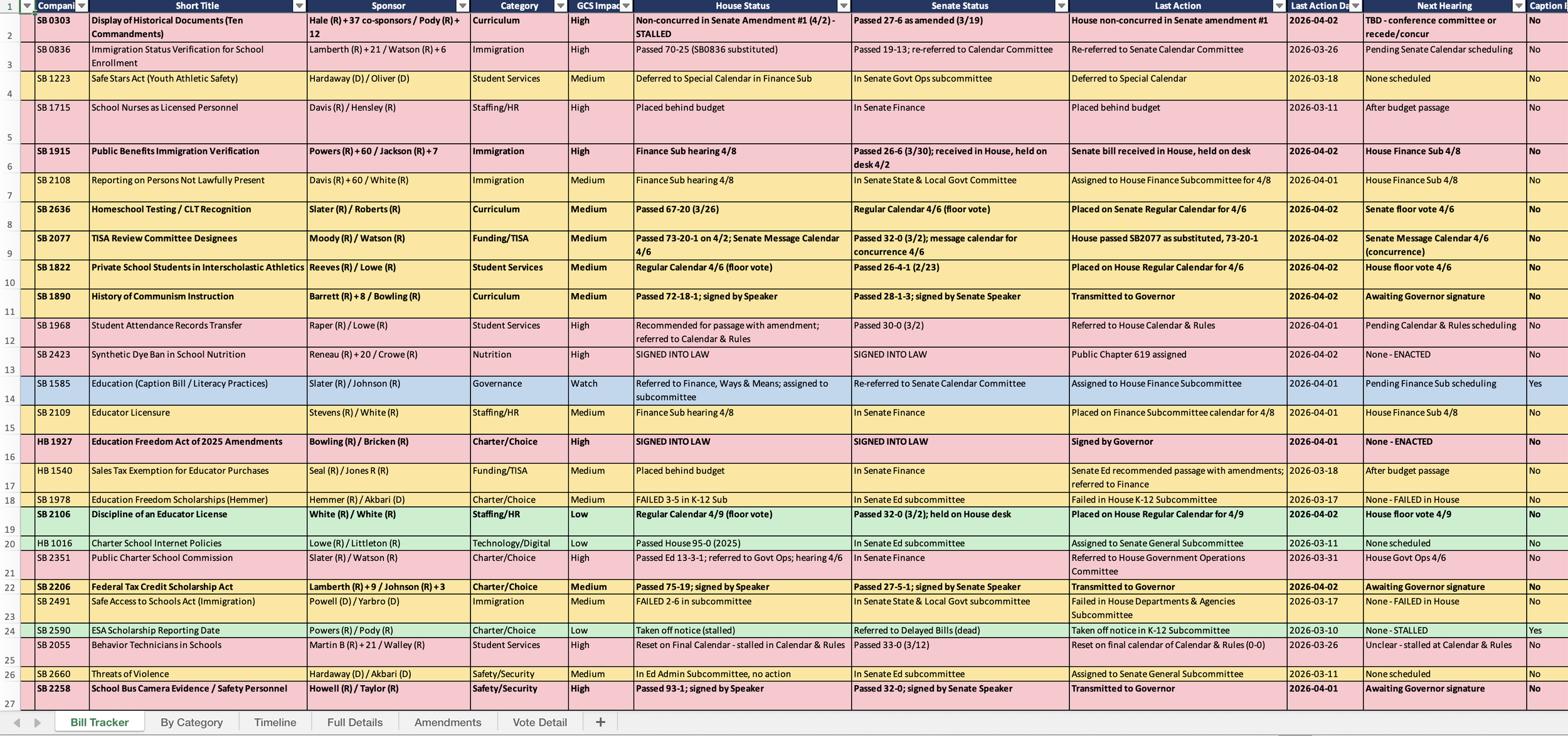
Screenshot of tracker spreadsheet
Where It Actually Mattered
The tracker isn't interesting because it's automated. It's interesting because it changed what I could do with the information.
When HB 2485 (expanding the TISA economically disadvantaged definition, $83.7M fiscal note) came up for subcommittee, I already had the data I needed. I pulled our enrollment numbers, the gap between our CEP methodology and the TISA classification, and the roughly $800,000 annual funding impact, then sent tailored emails to our representative and senator the same day the alert came in. The tracker had already done the homework. I just had to write the email.
When HB 2393 (K-5 digital device restrictions) passed the House 87-6, I knew immediately that the original prohibition had been softened by amendment SA0607 into a policy-based approach with eight permitted use categories. That distinction matters for how we plan our implementation. Without amendment tracking, I would have read "digital device bill passes" and assumed the worst.
When HB 0793 (immigration enrollment verification) accumulated nine amendments across both chambers, the tracker flagged each one and assessed whether it changed the compliance burden. The headline bill and the bill-as-amended were two very different things.
The Evolution
This is the part I think matters most for anyone considering something similar. The tool didn't start as what it is now. It started as a spreadsheet generator. Then I realized amendments were changing bills substantively, so I added amendment tracking. Then I caught a discrepancy between what the tracker reported and what was actually on the legislature's website, so I built a fact-check mode that runs three parallel verification agents across all 38 bills. Then I got tired of the plain-text email summaries, so I added an HTML email generator with color-coded status badges and hearing schedules that I can forward directly to my leadership team.
Each addition came from hitting a real wall, not from planning features in advance.
What This Means for Districts Like Mine
I open-sourced the skill on GitHub with the PII scrubbed. It's built for Tennessee's legislature website, but the architecture is the same for any state: fetch bill status from the official source, track amendments, categorize by district impact, generate reports.
The point isn't that every district administrator should learn to build Claude Code skills. The point is that the gap between what large districts can monitor and what small districts can monitor just got a lot smaller. The tools exist. The data is public. The bottleneck was always the human time to pull it all together, and that bottleneck is gone.
Three bills from my tracker are now law. Three more are on the governor's desk. The ESA expansion bill, at $150 million the biggest fiscal item on the tracker, goes to full Finance Committee on Monday. I'll know what happened before I finish my coffee Tuesday morning.
That's not a lobbyist. That's a laptop and a well-built prompt.